Free standard shipping on orders over £150

Welcome! Click here to unlock your welcome voucher and enjoy £20 off your first purchase over £150.

Barcode: 4711377473781

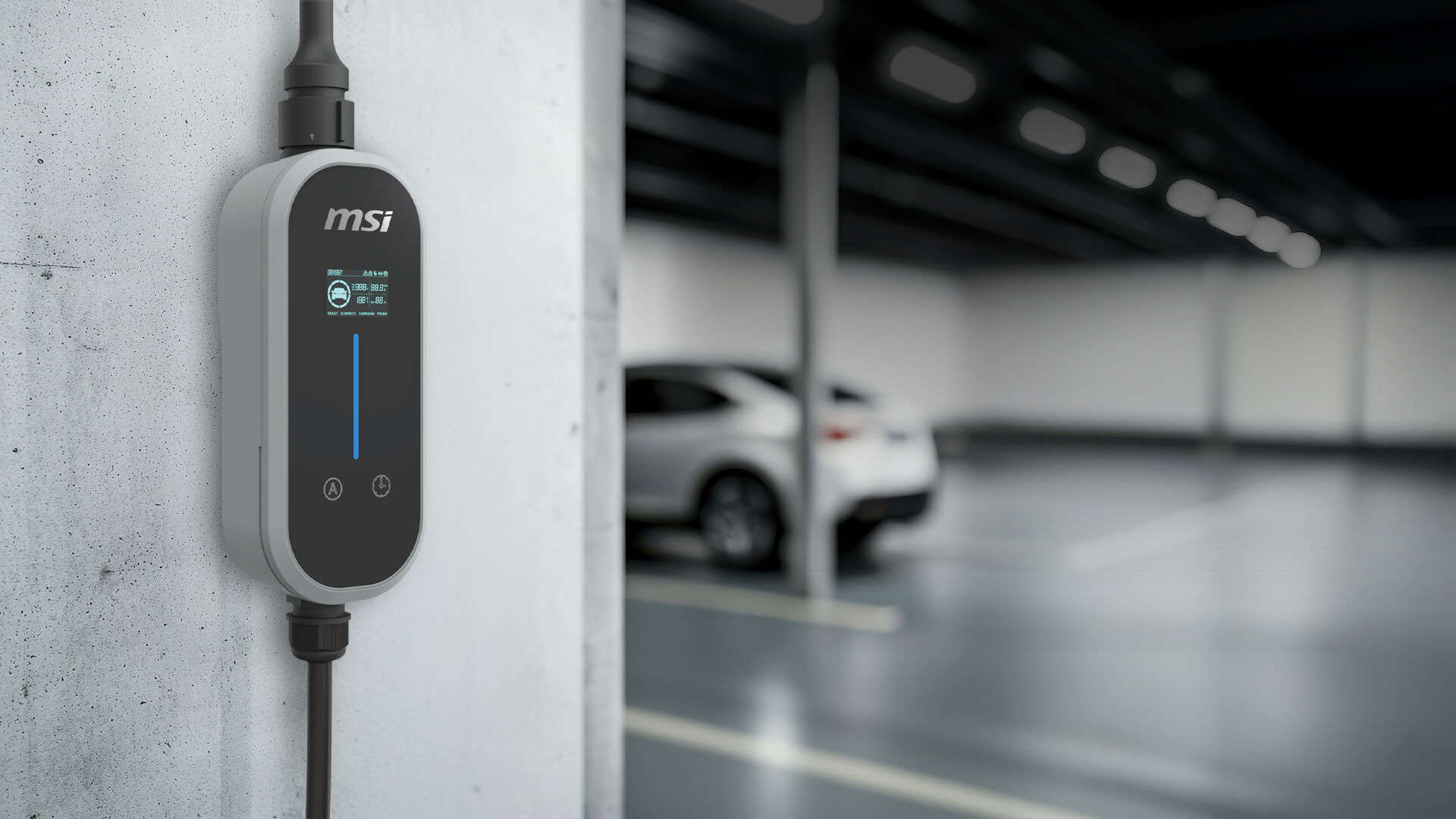
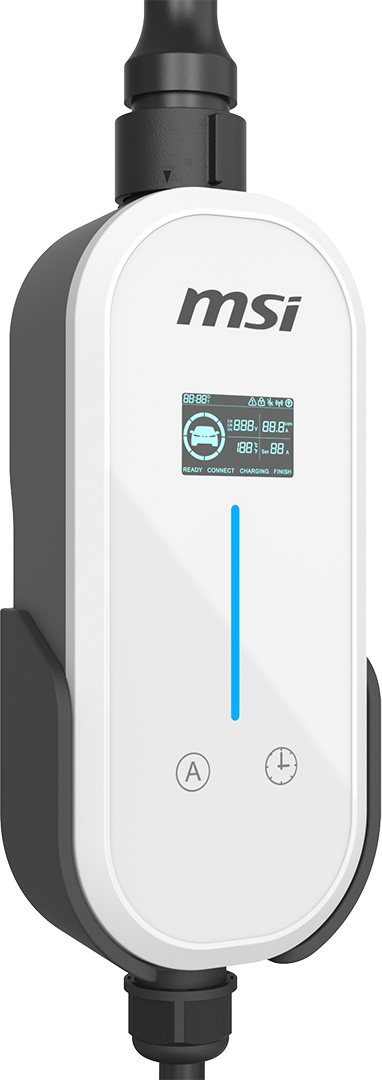
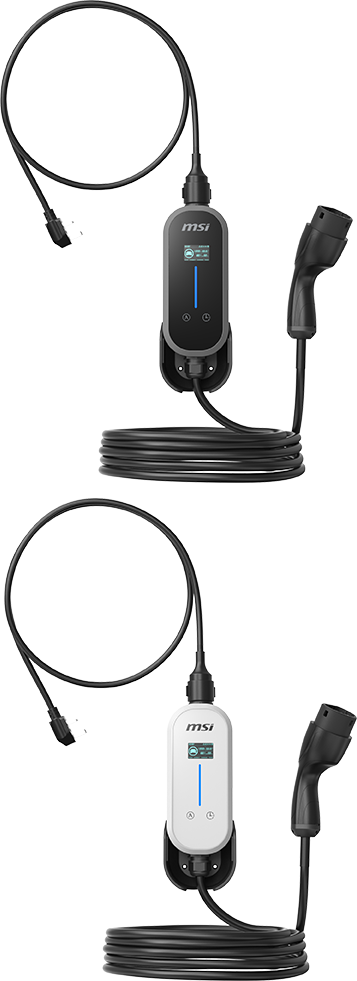
EZgo Gray | 3kW Portable EV Charger, Type 2 & UK 3-Pin

£189.00
VAT included
Delivery date
Estimated delivery: –
Warranty
3-year warranty

Incluye regalo

  • 3kW portable EV charger with a Type 2 connector and UK 3-pin plug
  • MSI aConnect: Control from your phone via Bluetooth
  • Protection Mechanisms for User Safety
  • Smart Overheat Prevention
  • IP66 Waterproof and Dustproof
  • Built to Survive the Driveway
  • One-Button Scheduled Charging Made Easy
  • Current that Meets Your Needs
  • 1.8-inch Display Screen for Real-Time Charging Status
  • Colorful LED Status Indicator
  • Combined Power Cord and Charging Cable Length: approx. 9.3 m
  • 3-Years Warranty and £3.9M in Product Liability Insurance
Pack it. Plug it. Charge it.

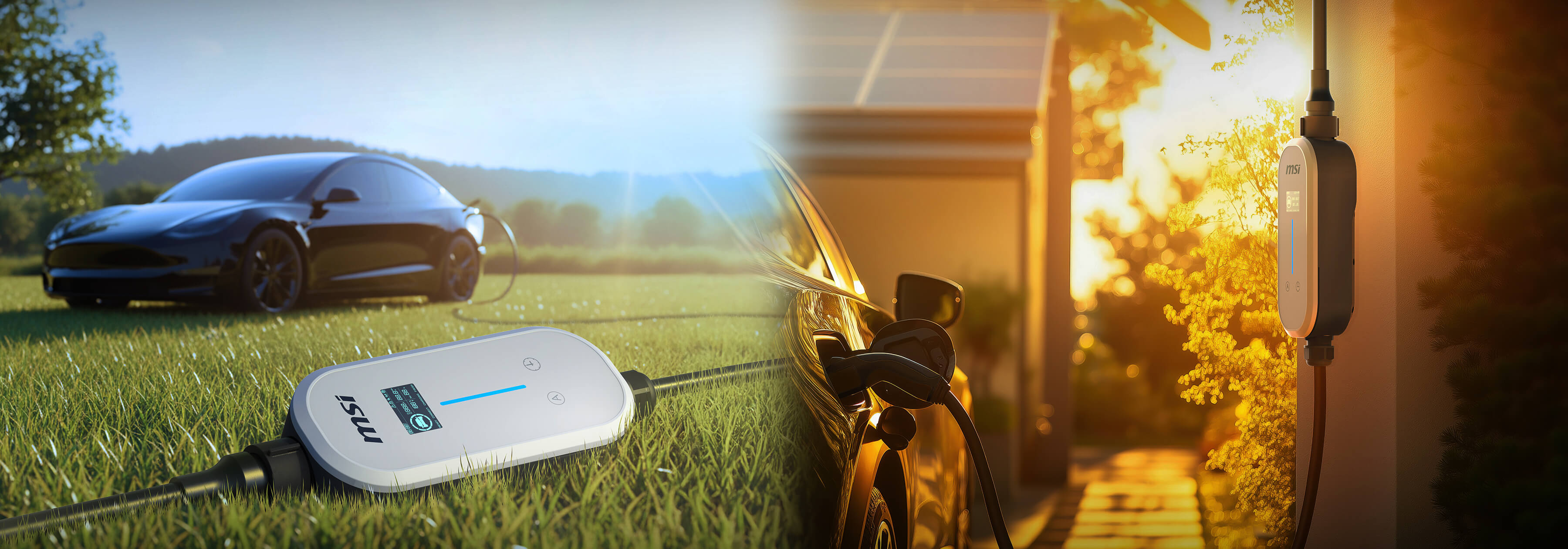
Pack it. Plug it. Charge it.

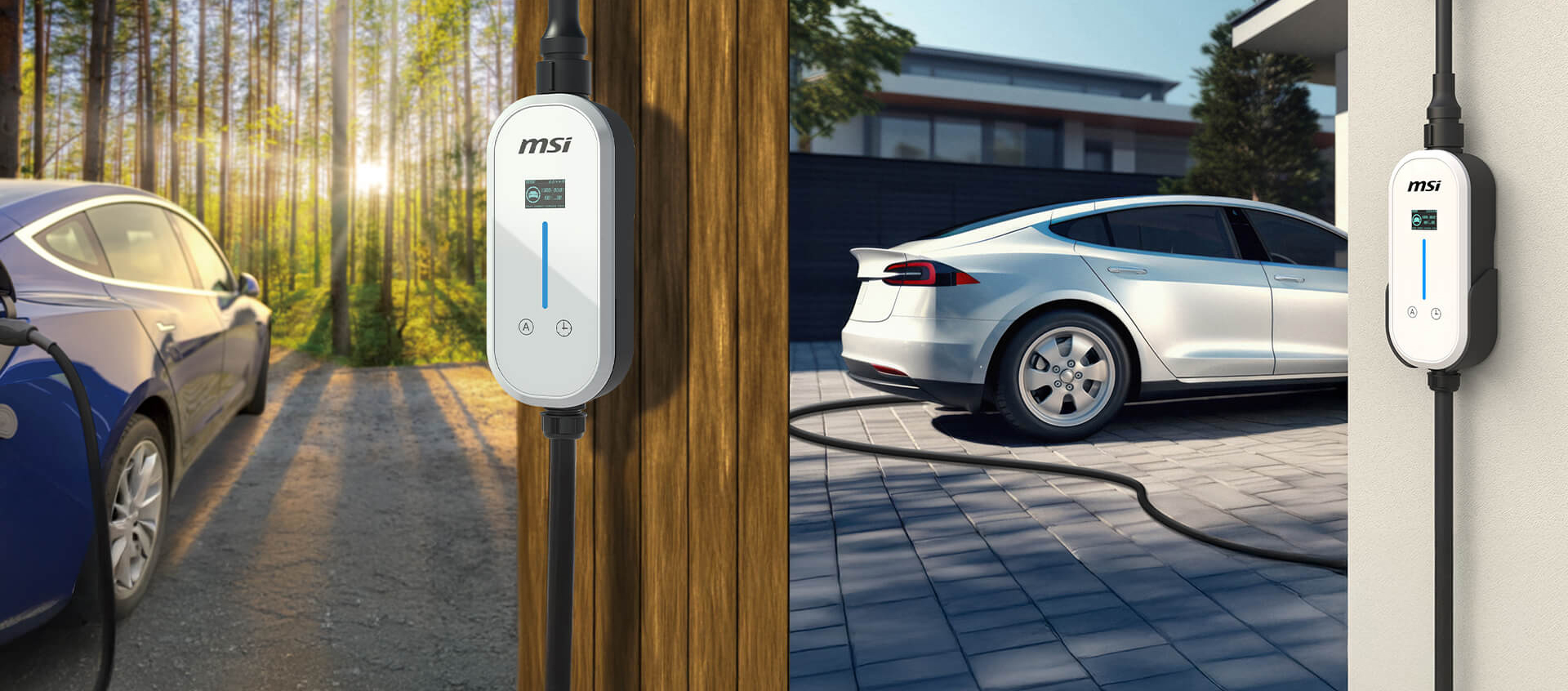
At home, at work, or away, it's ready when you are.

40 Years of Global Hardware Expertise

Travel

Home

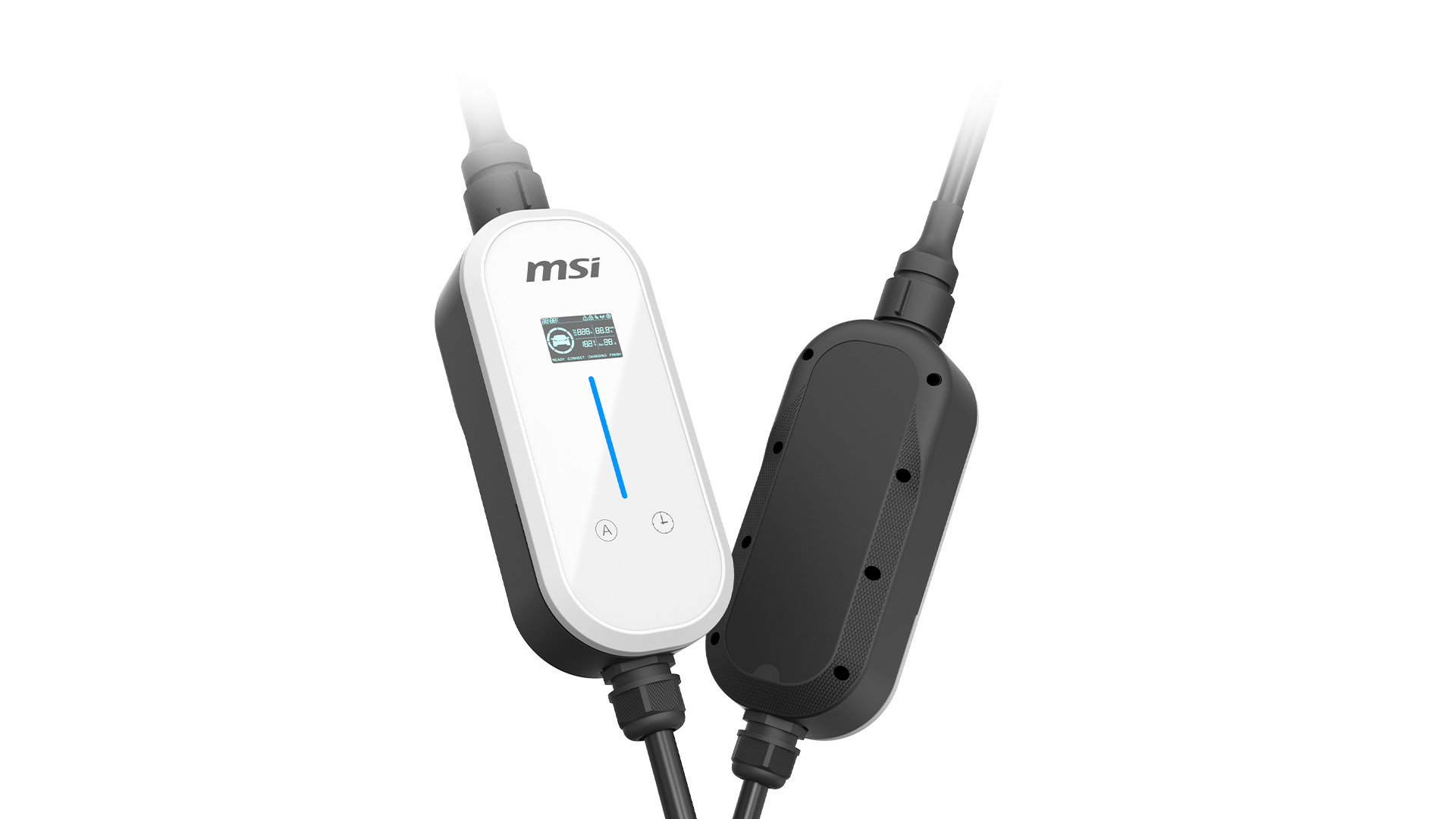
Simple and Stylish

Curved housing protects the internal components and absorbs impact if the charger is dropped.
Ergonomic contours and anti-slip accents make it comfortable to hold and easy to handle.
The textured grip pattern keeps the unit secure in wet or cold conditions.
EZgo
*

Plug-in and Charge One charger for every situation.

Travel

Home

Type G
3 kW / 13A,
adds 11 miles of range per hour

Travel/Camping
Travel/Camping
Emergency Charging
Emergency Charging
Easy to Carry
Easy to Carry

MSI aConnect:
Full Control from Your Phone

Connect via Bluetooth to monitor your charging in real time, adjust the current, and schedule charging start times. It’s simple to set up and easy to use every day.

MSI aConnect APP
Real-Time Charging Status
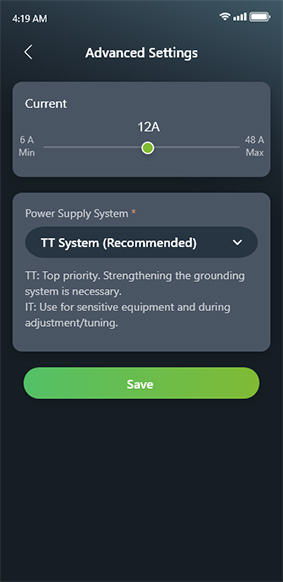
Adjust Current
Adjust Current
Adjust Current
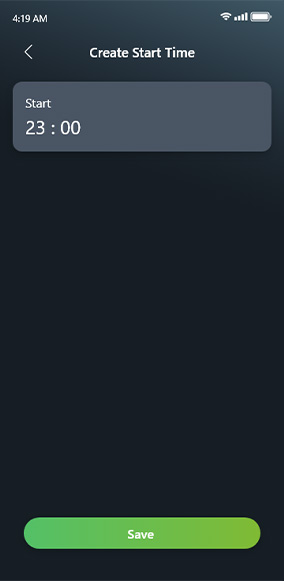
Set Charging Start Times

Protection Mechanisms for User Safety

Over-Temperature Protection

Over Temperature Protection

If the charger temperature exceeds 90°C, the built-in overheat protection system will automatically engage and suspend charging to ensure user safety.

Ground Protection

Ground Protection

During charging, if the ground wire is not detected or not properly connected, the device will automatically cut off power to prevent over-current.

Overload Protection

Overload Protection

When the output current exceeds 110% of the set value, the device will automatically disconnect power.

Over-Voltage Protection

Overvoltage Protection

If the input voltage exceeds 120% of the set value, the device will automatically cut off power.

Under-Voltage Protection

Undervoltage Protection

If the output current or input voltage drops below 80% of the set value, the device will automatically disconnect power.

Leakage Protection

Leakage Protection

If leakage is detected, the device will automatically shut off power and stop supplying electricity.

Electric-Shock Protection

Protection Against Electric Shock

Surge absorption prevents damage caused by lightning strikes.

Complete Protection Suite for You and Your EV

Smart Overheat Prevention

Power Plug Safety
Integrated heat sensors actively monitor plug and cable temperatures in real time, protecting against excessive heat and connector damage.
Control board
Dual Smart Temperature Control
If things run warm, current is automatically reduced to maintain charging. If temperatures keep rising, charging stops until the temperature drops.
Charge board
EZgo
*
UL94 V-0 flame-retardant MSI Eco EV charger for underground parking areas

Premium Materials and Uncompromising Safety

Every component uses high-density, fire-retardant materials rated for prolonged outdoor use and high thermal loads. Engineered for extreme weather resistance and superior heat tolerance for worry-free charging safety in any environment.

UL94 V-0 flame-retardant materials in MSI Eco EV charger

IP66 Waterproof and Dustproof

Built for the outdoors, the British outdoors. IP66-rated against dust and water jets, the MSI EZgo is equally reliable on a rainy driveway and in an exposed car park.

IP66 Waterproof and Dustproof

Built to Survive the Driveway

The charger body and cable have both been tested to withstand serious compression, including the weight of a vehicle, without damage.

Heavy-Object Compression Test Passed

One-Button Delayed Charging Made Easy

Press to delay charging. Set a specific start time in the app.

One-Button Charge Scheduling Made Simple

Current that MeetsYour Needs

Adjust the current output to match your home wiring or vehicle either directly on the unit or through the aConnect app, no electrician needed.

Segmented Current Adjustment

1.8-inch Display Screen for Real-Time Charging Status

Everything you need to know, right on the unit. The 1.8-inch display shows voltage, current, temperature, charge status, Bluetooth connection, and any error codes right on the charger.

Normal
Normal
Error
Error
MSI EVSE EZgo LED Status Indicator

Colorful LED Status Indicator

An intuitive LED indicator clearly displays the current charging status for easy monitoring.

Blue Light One by One
Blue Light One by One Ready
Blue Light Flashing
Blue Light Flashing The charging handle is not plugged in during the scheduled session
Blue Light Breathing
Blue Light Breathing The charging handle is plugged in during the scheduled session
Blue Light Flowing
Blue Light Flowing Charging
Blue Light Constant
Blue Light Constant Charging is complete
Red Light Constant
Stable Red Light Error

Longer Cable, Easier Charge

EZgo, Power cord + Charging gun Total Length approx. 9.3m
Whether your car's charging port is at the front, rear, side, or of the other side of side-by-side stalls, the EZgo covers the distance without you ever needing to reposition your EV.

Extra-Length Cable for Zero-Stress Charging

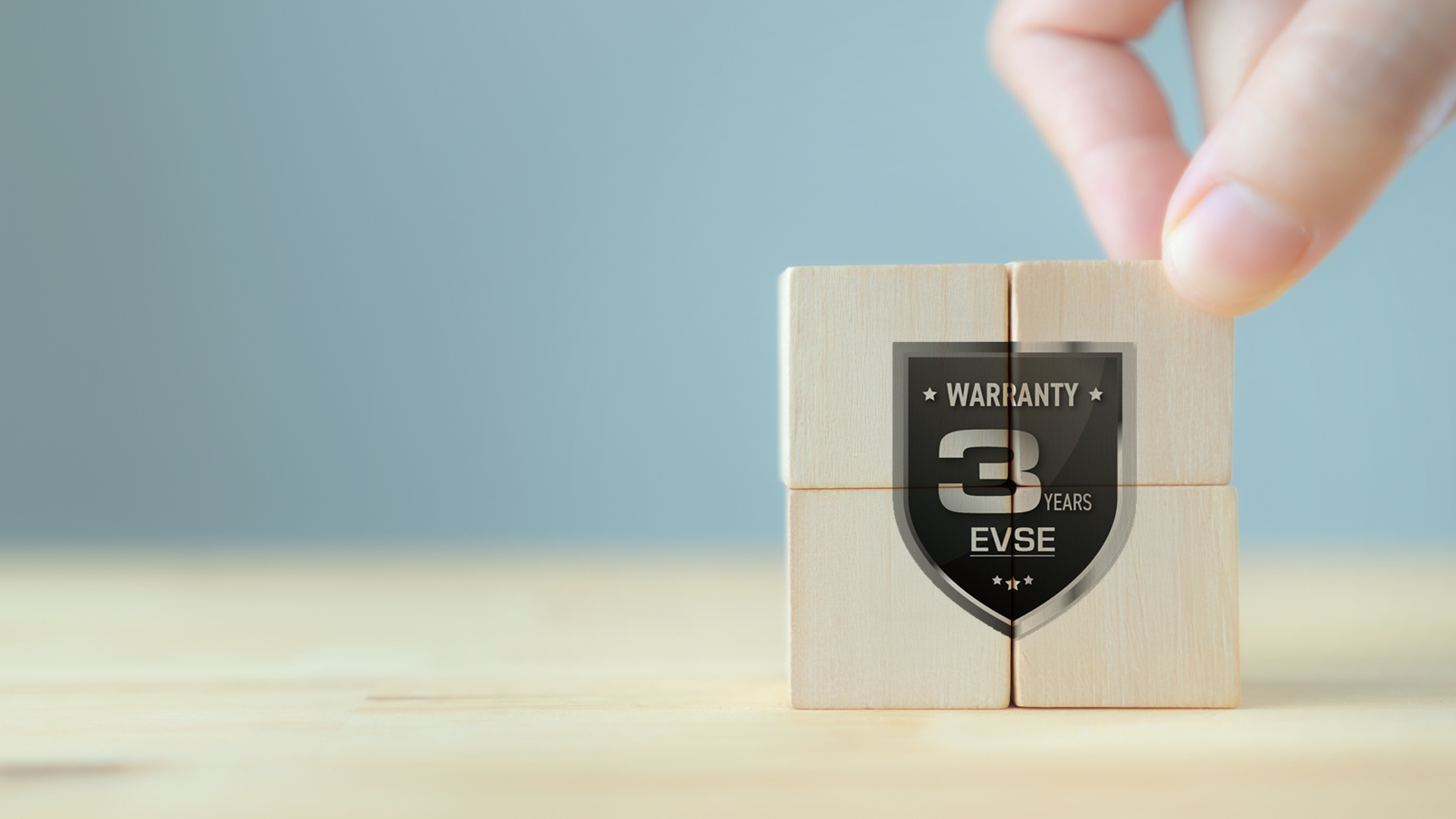
Warranty + Insurance

MSI provides a three-year warranty backed by up to £3.9M product liability insurance.

100 % Safety Guarantee
RCM

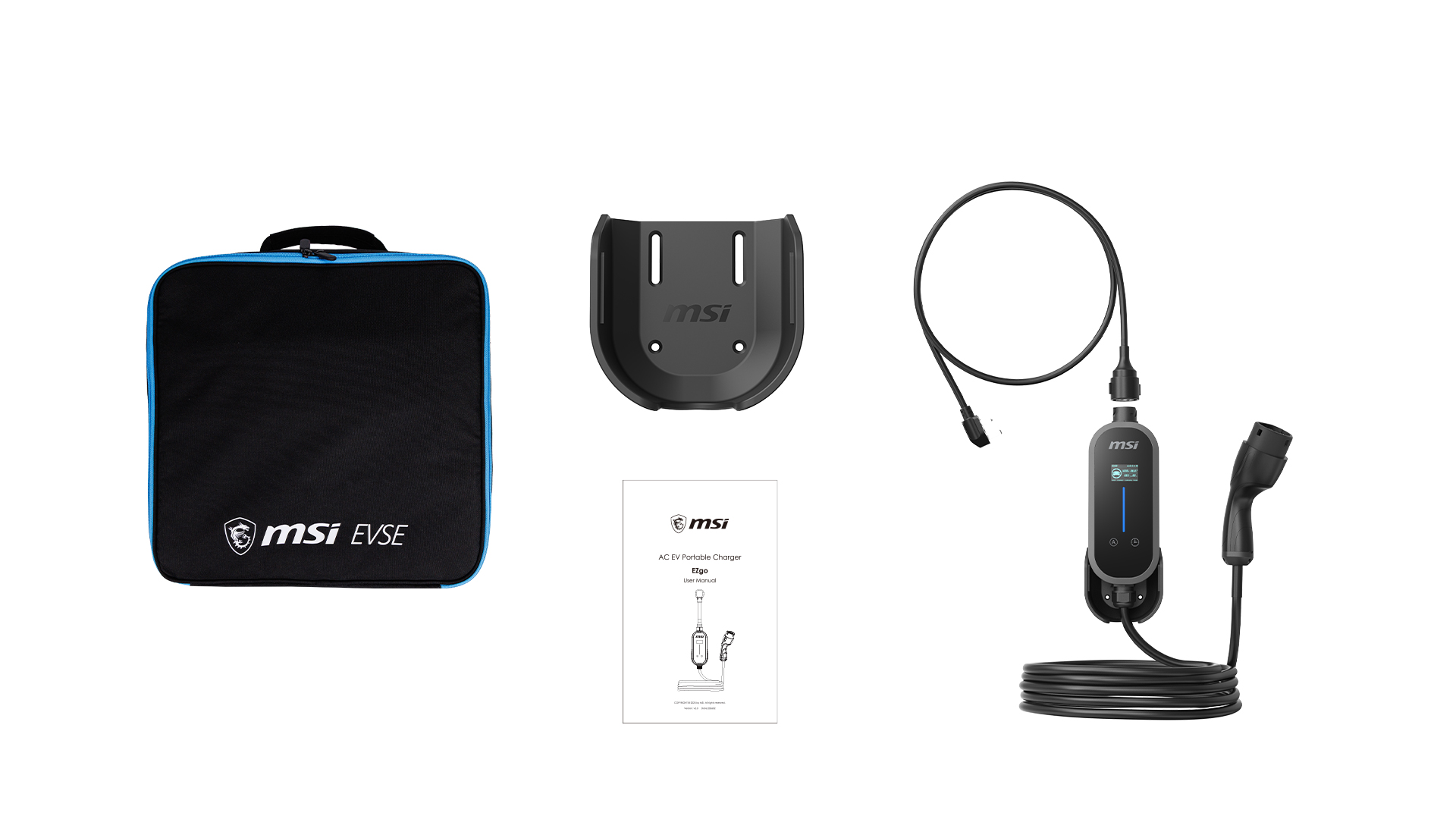
What’s Included

Carry Bag
Charger Holder
User Manual
EZgo
EZgo

MSI|EZGO Eligible for OZEV EV Chargepoint Grant

Basic Information
Marketing Name EZgo White / Gray
Input Rating 1-Phase: 200-240VAC
Charging Power Up to 1.6kW - 3kW
Charging Current Up to 8A - 13A
Power Cord Type G
Charging Gun Type Type 2
Cable Length 7.5 m
Dimension H298 * W105 * D168 mm
Weight 4.2KG
Certified UKCA, CE
User Interface
User Authentication Mobile APP
Display 1.8-inch IPS Panel
Color White or Gray
Communication
Connectivity Bluetooth
Protection
Electrical Protection Under Voltage Protection, Over Voltage Protection, Over Load Protection, Over Temp. Protection, Ground Protection, Residual Current Device / Residual Current Monitoring
Environment
Operating Temp. -30 - 50 °C
Run – Over Test 2T for controller, 20T for cable
IP Rating IP66/IK08
Salt Spray Test IEC60068-2-11, ASTM B117
Working Humidity 5 % ~ 95 % RH
Altitude Up to 2,000 m
Accessory Carry Bag / EV Charger Holder
Warranty 3 Years
** Warranty Term
MSI Eco Life and Eco Premium home EV chargers

How long is the MSI EZgo warranty?

The MSI EZgo comes with a 3-year warranty in the UK


Which vehicles are compatible with the MSI EZgo?

Virtually all commercially available electric vehicles are compatible.


What are the charging speeds of the MSI EZgo?

Charging speeds are heavily dependent on your local power phase and outlet types. Additionally, the current state of charge of your vehicle can greatly affect the speed of charging.


How do I use the mobile app to control charging?

You can easily manage charging through the MSI aConnect App (available for iOS and Android). Setup instructions:
1️⃣ Download the app: Download the MSI aConnect App on your phone. https://aconnect.msi.com/APPDW/
2️⃣ Enable Bluetooth: Make sure your phone's Bluetooth is turned on.
3️⃣ Pair and connect: Open the app and follow the on-screen instructions to pair with the charger.
4️⃣ Once connected, you can monitor charging status in real time, set charging schedules (delay charging), and start or stop charging from your phone.


Can family members share one charger by using the app on different phones?

The app is not required for basic charging, but multiple family members can each connect to share the charger's data. As long as each family member downloads the MSI aConnect App and completes Bluetooth pairing, they can share the charger.

Reminder:
For connection security and stability, the system uses a one-to-one connection. When one user is actively operating or viewing the app, the next user must wait until the previous user exits the operation screen before connecting.


What happens if the EZgo overheats?

There's no need to worry. The EZgo features a multi-layered thermal protection system. In addition to built-in thermal sensors on both the internal control board and charge board, the external power cord (plug) is also equipped with a temperature sensor.

The system monitors operating temperatures in real time to actively prevent heat buildup. In extreme cases of abnormal temperature rise, it triggers an auto-shutdown mechanism to ensure charging safety and prevent equipment damage.


Can I use an extension cord to extend the charging distance?

Do not use any extension cords or adapters.

To ensure charging safety, the charger's power cord must be plugged directly into a fixed outlet, such as the wall outlet. Never connect it to extension cords, universal adapters, 3-prong to 2-prong adapters, or non-certified/third-party adapters. Using extension cords or adapters can cause high contact resistance and lead to overheating, short circuits, or potential electrical fire hazards.


How do I resolve error codes E07 or E16 on the display?

Both fault codes indicate that the charger has detected excessive earth resistance. To protect users, the unit automatically suspends charging if the earthing system is incomplete or unsafe.

Common causes include:
Improper earthing
The socket outlet may not be correctly earthed, or the earth resistance may exceed the limits set by UK safety regulations.

Unsuitable adapters or extensions
The charger’s plug must be connected directly to a fixed, earthed socket outlet. The use of extension leads, travel adapters, two‑pin to three‑pin converters, or other non‑compliant accessories is strongly discouraged, as they can introduce excessive resistance and increase the risk of overheating.

Recommended action:
Disconnect all non‑original adapters or extension leads and connect the charger directly to a properly earthed socket outlet. If the fault persists, arrange for a qualified electrician registered under UK Part P or NICEIC to inspect the site’s earthing system.


Why can't the MSI EZgo connect to the MSI aConnect App?

If your MSI EZgo cannot connect to the aConnect app, follow these steps in order. They resolve most connection issues:

1️⃣ Check Bluetooth & Permissions
Most Common Fix
The app requires Bluetooth and Location access to pair with the charger.
Phone Settings → Bluetooth / App Permissions
- Ensure Bluetooth is turned on
- Confirm the aConnect app has Bluetooth and Location permissions

2️⃣ Restart Connection
Refreshing both the phone and charger often clears dropped connections.
- Toggle Bluetooth off for 5 seconds, then back on
- Close and reopen the aConnect app
- Unplug the EZgo power cord, wait 10 seconds, then plug back in

3️⃣ Check Distance & Obstructions
Bluetooth range is limited to about 10 meters and can be blocked.
- Stay within 10 m (33 ft) of the charger
- Avoid barriers like car bodies, metallic window tints, or concrete walls
- Keep a clear line of sight between phone and charger

4️⃣ Reduce Signal Interference
Other wireless devices can disrupt Bluetooth on the 2.4 GHz band.
- Move closer to the charger
- Step away from crowded Wi‑Fi routers or multiple active wireless devices

5️⃣ Confirm Device Availability
The EZgo supports one active Bluetooth connection at a time.
- Ensure no other phone is currently paired
- Close the app or disable Bluetooth on nearby devices

6️⃣ Test Phone Compatibility
Rarely, certain phone models may have Bluetooth protocol issues.
- If all steps fail, try connecting with another phone to confirm


How can I get help if I have an issue? (EZgo)

You can get the help you need quickly through one of the following options:
1️⃣ Self-service support
Visit the official website to download the product manual, watch instructional videos, or browse the FAQ for troubleshooting. https://evse.msi.com/resources/download
2️⃣ Contact customer service
If online resources do not resolve your issue, please contact the original point of purchase or MSI customer service.


Why won't charging start even though the connector is plugged in?

Failure to start charging can be caused by multiple factors. Please troubleshoot using the following categories:

1️⃣ Power supply check
- Power status: Confirm the outlet is receiving power and the upstream circuit breaker has not been tripped.
- Circuit load: If the outlet shares a circuit with high-power appliances, available current capacity may be insufficient.
- Voltage compatibility: Some vehicle models (e.g., VW EVs) do not support the charger's full voltage charging by design. Confirm your electrical supply meets the vehicle's charging requirements.

2️⃣ Charger check
- Over-temperature protection: If the plug or equipment temperature is too high, the protection mechanism will automatically pause charging until the temperature drops.
- Safety mechanisms: When abnormal conditions such as overcurrent, overvoltage, or undervoltage are detected, the charger locks output to ensure safety.
- Cable condition: Periodically inspect the plug and cable for visible damage, deformation, or burn marks.

3️⃣ Vehicle-side check
- Charge settings: Check whether the vehicle has reached its target charge limit or if scheduled charging mode is accidentally enabled.
- Connection and response: The vehicle charging port may have debris, the vehicle may have entered sleep mode, or there may be model-specific compatibility limitations.


Why didn't scheduled charging start even though the app was set and the connector was plugged in?

If scheduled charging fails to start, the following causes may apply:

1️⃣ Charger-side check
- Connection instability: Unstable connectivity during setup may cause the schedule to fail.
- Setup not confirmed: After setting the schedule, confirm the screen displays a success message before you close the app.
- Equipment protection: If the charger detects over-temperature or other electrical abnormalities (red indicator light), charging will pause for safety until the issue is resolved.

2️⃣ Vehicle-side check
- Schedule conflict: Check whether the vehicle has its own charging schedule set. Overlapping schedules may cause conflicts.
- Incomplete connection: Check that the charging connector is fully inserted into the charging port and free of debris.
- Vehicle sleep mode: If the vehicle enters deep sleep mode, it may not respond to the charger's power signal.
- Charge limit: Check whether the vehicle has a charge limit set.

3️⃣ Environmental factors
- Power instability: Power outages, breaker trips, or outlet supply interruptions during the scheduled period may cause the schedule to reset or abort.


Why are my charging history records incomplete or showing incorrect times in the aConnect app?

1️⃣ Missing Start and End Times
The EZgo doesn't have a built-in clock. It syncs the time from your phone each time you connect, so if your phone isn't connected before a charging session begins, only the duration will be recorded rather than the full start and end times. Connect your phone before you start charging to make sure the complete record is captured. If the charger is unplugged and plugged back in, the time will reset. Reconnect your phone to resynchronise.

2️⃣ Charging History Missing
Charging records are stored temporarily on the charger and retrieved each time your phone connects. The charger holds up to 500 session logs. Once that limit is reached, the oldest entries are replaced by new ones. Connect your phone regularly to keep your history complete and avoid losing older records.


Does the EZgo need to be paired with the mobile app before charging?

No.

The EZgo supports AutoStart (open access) functionality, allowing you to charge your vehicle directly without pairing it with the mobile app. You can also quickly adjust current levels and set a delayed start using the buttons on the charger.

The mobile app provides advanced management features, such as scheduling charging start times, fine-tuning amperage settings, and viewing charging history. You can flexibly choose between on-device physical controls or app control based on your preference.

Store | United Kingdom

EZgo Gray | 3kW Portable EV Charger, Type 2 & UK 3-Pin

£189.00

  • 3kW portable EV charger with a Type 2 connector and UK 3-pin plug
  • MSI aConnect: Control from your phone via Bluetooth
  • Protection Mechanisms for User Safety
  • Smart Overheat Prevention
  • IP66 Waterproof and Dustproof
  • Built to Survive the Driveway
  • One-Button Scheduled Charging Made Easy
  • Current that Meets Your Needs
  • 1.8-inch Display Screen for Real-Time Charging Status
  • Colorful LED Status Indicator
  • Combined Power Cord and Charging Cable Length: approx. 9.3 m
  • 3-Years Warranty and £3.9M in Product Liability Insurance

Pack it. Plug it. Charge it.

Pack it. Plug it. Charge it.

At home, at work, or away, it's ready when you are.

40 Years of Global Hardware Expertise

Travel

Home

Simple and Stylish

Curved housing protects the internal components and absorbs impact if the charger is dropped.
Ergonomic contours and anti-slip accents make it comfortable to hold and easy to handle.
The textured grip pattern keeps the unit secure in wet or cold conditions.
EZgo
*

Plug-in and Charge One charger for every situation.
Travel

Home
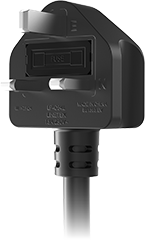
Type G
3 kW / 13A,
adds 11 miles of range per hour

Travel/Camping
Travel/Camping
Emergency Charging
Emergency Charging
Easy to Carry
Easy to Carry

MSI aConnect:
Full Control from Your Phone

Connect via Bluetooth to monitor your charging in real time, adjust the current, and schedule charging start times. It’s simple to set up and easy to use every day.

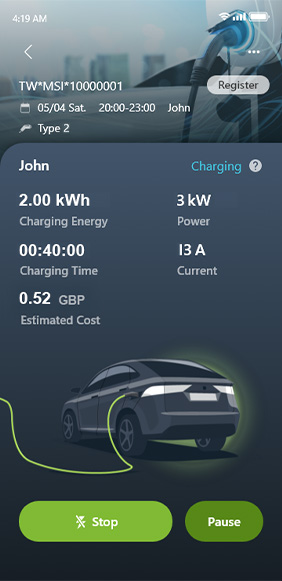
MSI aConnect APP
Real-Time Charging Status
Adjust Current
Adjust Current
Adjust Current
Set Charging Start Times

Protection Mechanisms for User Safety

Over-Temperature Protection

Over Temperature Protection

If the charger temperature exceeds 90°C, the built-in overheat protection system will automatically engage and suspend charging to ensure user safety.

Ground Protection

Ground Protection

During charging, if the ground wire is not detected or not properly connected, the device will automatically cut off power to prevent over-current.

Overload Protection

Overload Protection

When the output current exceeds 110% of the set value, the device will automatically disconnect power.

Over-Voltage Protection

Overvoltage Protection

If the input voltage exceeds 120% of the set value, the device will automatically cut off power.

Under-Voltage Protection

Undervoltage Protection

If the output current or input voltage drops below 80% of the set value, the device will automatically disconnect power.

Leakage Protection

Leakage Protection

If leakage is detected, the device will automatically shut off power and stop supplying electricity.

Electric-Shock Protection

Protection Against Electric Shock

Surge absorption prevents damage caused by lightning strikes.
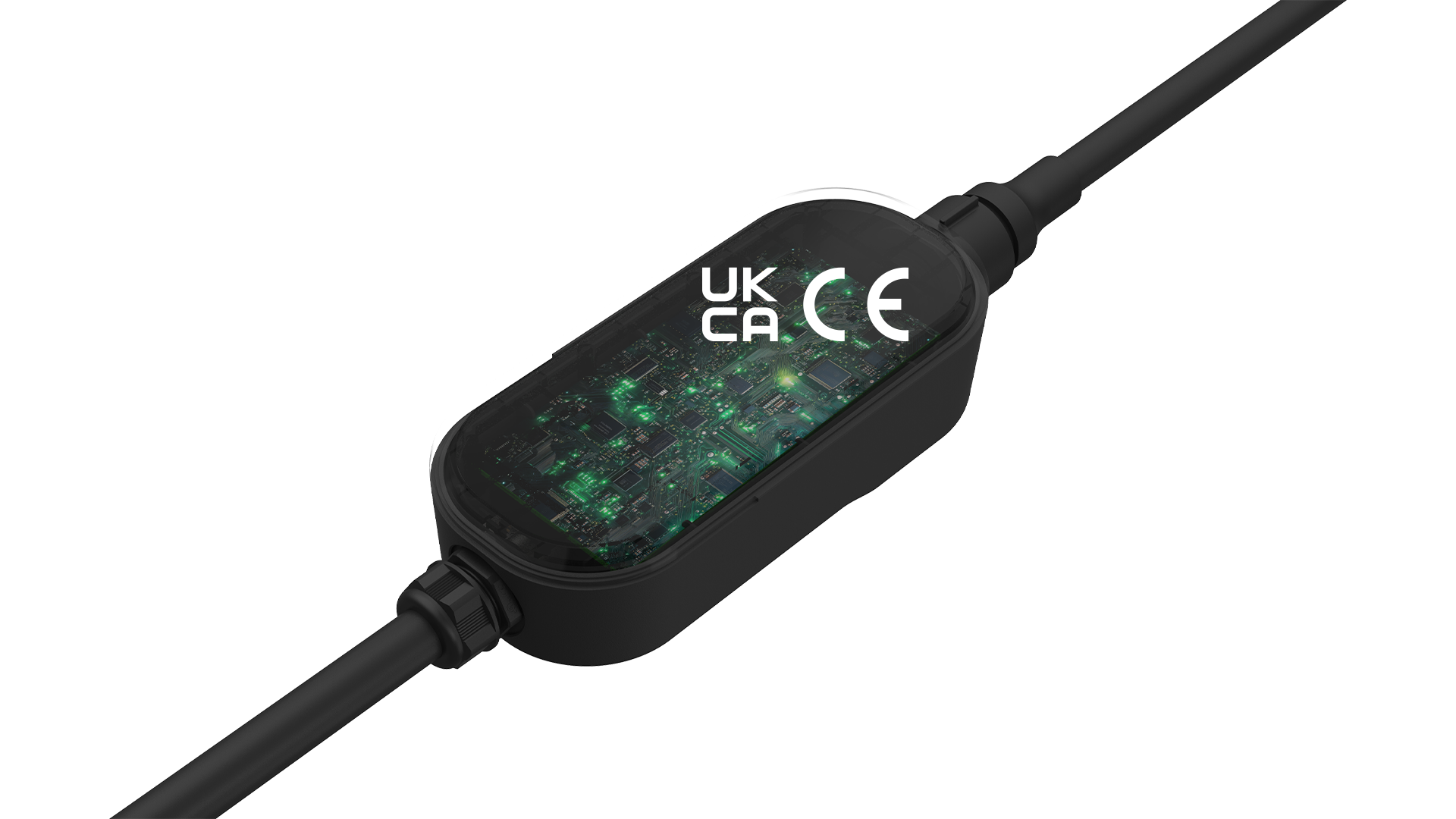
Complete Protection Suite for You and Your EV

Smart Overheat Prevention

Power Plug Safety
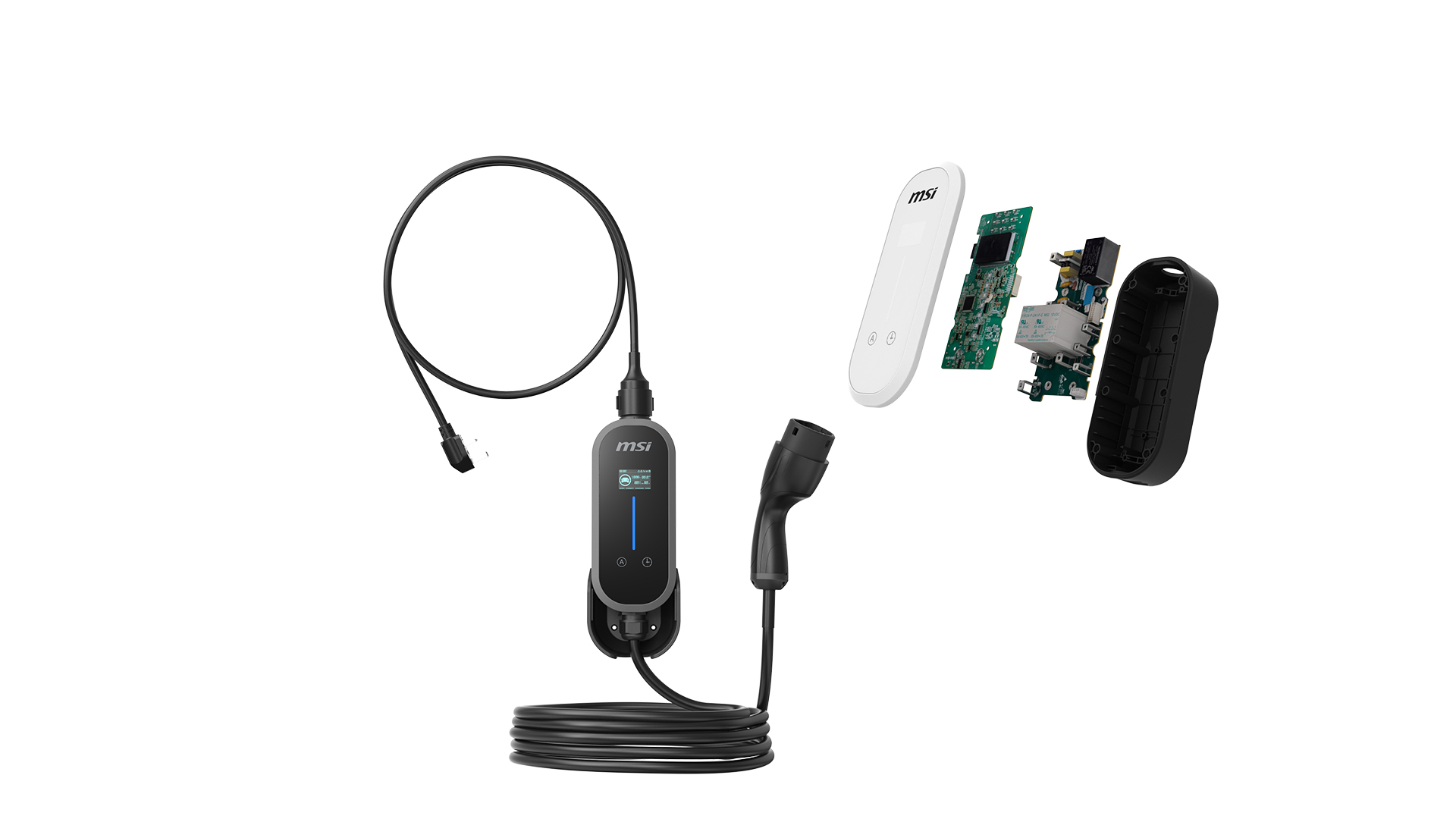
Integrated heat sensors actively monitor plug and cable temperatures in real time, protecting against excessive heat and connector damage.
Control board
Dual Smart Temperature Control
If things run warm, current is automatically reduced to maintain charging. If temperatures keep rising, charging stops until the temperature drops.
Charge board
EZgo
*
UL94 V-0 flame-retardant MSI Eco EV charger for underground parking areas

Premium Materials and Uncompromising Safety

Every component uses high-density, fire-retardant materials rated for prolonged outdoor use and high thermal loads. Engineered for extreme weather resistance and superior heat tolerance for worry-free charging safety in any environment.

UL94 V-0 flame-retardant materials in MSI Eco EV charger

IP66 Waterproof and Dustproof

Built for the outdoors, the British outdoors. IP66-rated against dust and water jets, the MSI EZgo is equally reliable on a rainy driveway and in an exposed car park.

IP66 Waterproof and Dustproof

Built to Survive the Driveway

The charger body and cable have both been tested to withstand serious compression, including the weight of a vehicle, without damage.

Heavy-Object Compression Test Passed

One-Button Delayed Charging Made Easy

Press to delay charging. Set a specific start time in the app.
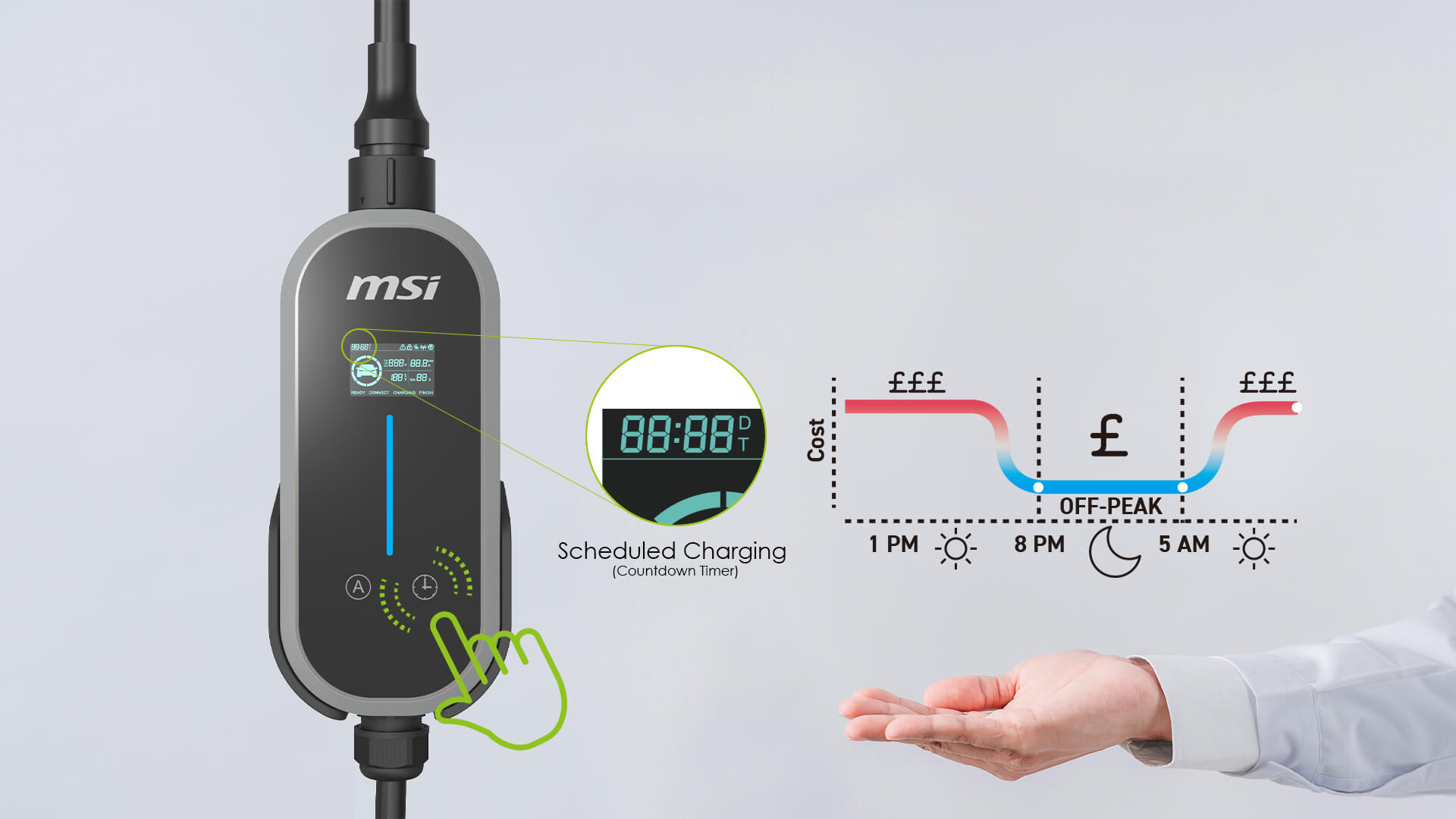
One-Button Charge Scheduling Made Simple

Current that MeetsYour Needs

Adjust the current output to match your home wiring or vehicle either directly on the unit or through the aConnect app, no electrician needed.

Segmented Current Adjustment

1.8-inch Display Screen for Real-Time Charging Status

Everything you need to know, right on the unit. The 1.8-inch display shows voltage, current, temperature, charge status, Bluetooth connection, and any error codes right on the charger.

Normal
Normal
Error
Error
MSI EVSE EZgo LED Status Indicator

Colorful LED Status Indicator

An intuitive LED indicator clearly displays the current charging status for easy monitoring.

Blue Light One by One
Blue Light One by One Ready
Blue Light Flashing
Blue Light Flashing The charging handle is not plugged in during the scheduled session
Blue Light Breathing
Blue Light Breathing The charging handle is plugged in during the scheduled session
Blue Light Flowing
Blue Light Flowing Charging
Blue Light Constant
Blue Light Constant Charging is complete
Red Light Constant
Stable Red Light Error

Longer Cable, Easier Charge

EZgo, Power cord + Charging gun Total Length approx. 9.3m
Whether your car's charging port is at the front, rear, side, or of the other side of side-by-side stalls, the EZgo covers the distance without you ever needing to reposition your EV.
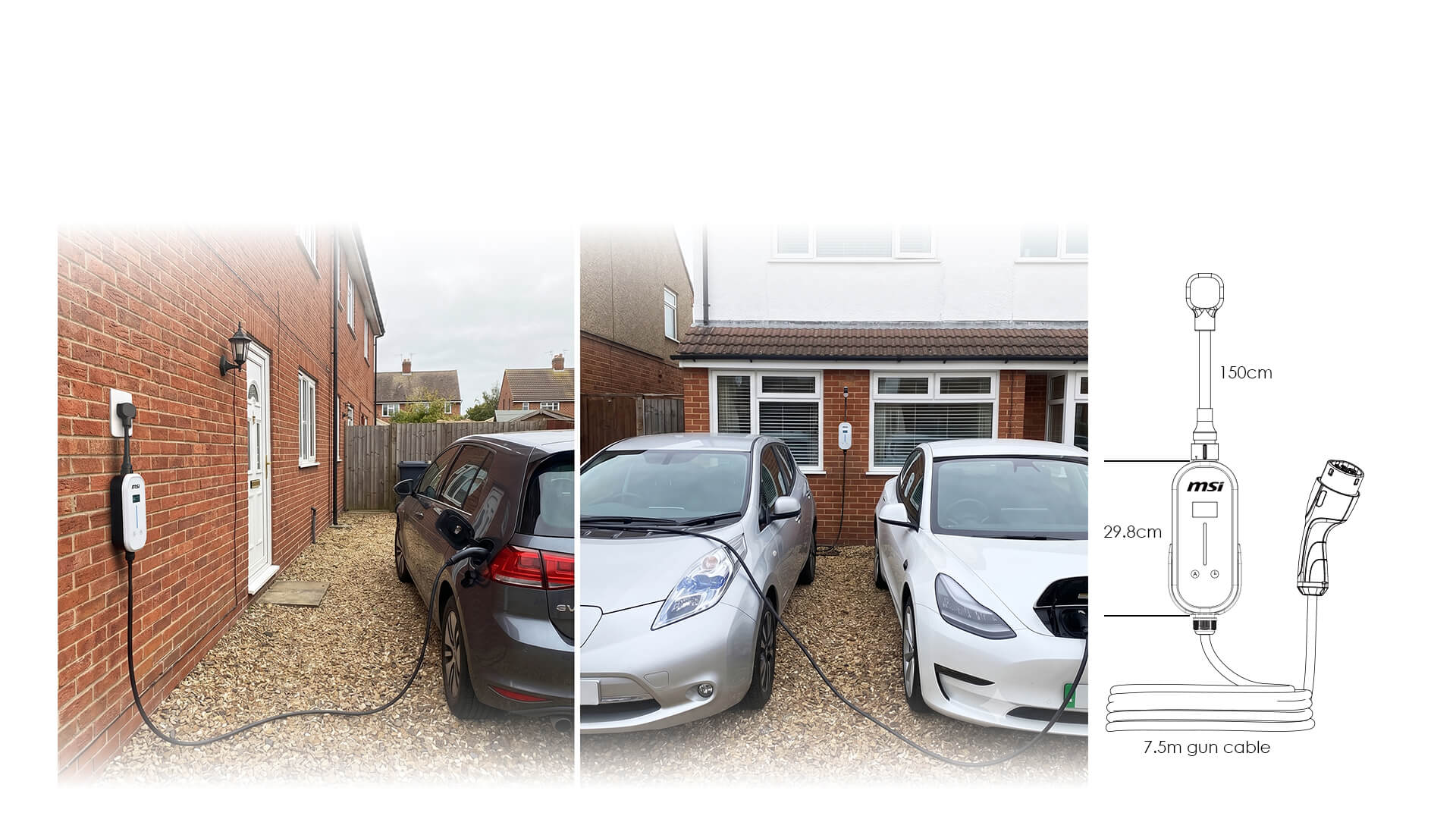
Extra-Length Cable for Zero-Stress Charging

Warranty + Insurance

MSI provides a three-year warranty backed by up to £3.9M product liability insurance.
100 % Safety Guarantee
RCM

What’s Included

Carry Bag
Charger Holder
User Manual
EZgo
EZgo

MSI|EZGO Eligible for OZEV EV Chargepoint Grant

Basic Information
Marketing Name EZgo White / Gray
Input Rating 1-Phase: 200-240VAC
Charging Power Up to 1.6kW - 3kW
Charging Current Up to 8A - 13A
Power Cord Type G
Charging Gun Type Type 2
Cable Length 7.5 m
Dimension H298 * W105 * D168 mm
Weight 4.2KG
Certified UKCA, CE
User Interface
User Authentication Mobile APP
Display 1.8-inch IPS Panel
Color White or Gray
Communication
Connectivity Bluetooth
Protection
Electrical Protection Under Voltage Protection, Over Voltage Protection, Over Load Protection, Over Temp. Protection, Ground Protection, Residual Current Device / Residual Current Monitoring
Environment
Operating Temp. -30 - 50 °C
Run – Over Test 2T for controller, 20T for cable
IP Rating IP66/IK08
Salt Spray Test IEC60068-2-11, ASTM B117
Working Humidity 5 % ~ 95 % RH
Altitude Up to 2,000 m
Accessory Carry Bag / EV Charger Holder
Warranty 3 Years
** Warranty Term
MSI Eco Life and Eco Premium home EV chargers

How long is the MSI EZgo warranty?

The MSI EZgo comes with a 3-year warranty in the UK


Which vehicles are compatible with the MSI EZgo?

Virtually all commercially available electric vehicles are compatible.


What are the charging speeds of the MSI EZgo?

Charging speeds are heavily dependent on your local power phase and outlet types. Additionally, the current state of charge of your vehicle can greatly affect the speed of charging.


How do I use the mobile app to control charging?

You can easily manage charging through the MSI aConnect App (available for iOS and Android). Setup instructions:
1️⃣ Download the app: Download the MSI aConnect App on your phone. https://aconnect.msi.com/APPDW/
2️⃣ Enable Bluetooth: Make sure your phone's Bluetooth is turned on.
3️⃣ Pair and connect: Open the app and follow the on-screen instructions to pair with the charger.
4️⃣ Once connected, you can monitor charging status in real time, set charging schedules (delay charging), and start or stop charging from your phone.


Can family members share one charger by using the app on different phones?

The app is not required for basic charging, but multiple family members can each connect to share the charger's data. As long as each family member downloads the MSI aConnect App and completes Bluetooth pairing, they can share the charger.

Reminder:
For connection security and stability, the system uses a one-to-one connection. When one user is actively operating or viewing the app, the next user must wait until the previous user exits the operation screen before connecting.


What happens if the EZgo overheats?

There's no need to worry. The EZgo features a multi-layered thermal protection system. In addition to built-in thermal sensors on both the internal control board and charge board, the external power cord (plug) is also equipped with a temperature sensor.

The system monitors operating temperatures in real time to actively prevent heat buildup. In extreme cases of abnormal temperature rise, it triggers an auto-shutdown mechanism to ensure charging safety and prevent equipment damage.


Can I use an extension cord to extend the charging distance?

Do not use any extension cords or adapters.

To ensure charging safety, the charger's power cord must be plugged directly into a fixed outlet, such as the wall outlet. Never connect it to extension cords, universal adapters, 3-prong to 2-prong adapters, or non-certified/third-party adapters. Using extension cords or adapters can cause high contact resistance and lead to overheating, short circuits, or potential electrical fire hazards.


How do I resolve error codes E07 or E16 on the display?

Both fault codes indicate that the charger has detected excessive earth resistance. To protect users, the unit automatically suspends charging if the earthing system is incomplete or unsafe.

Common causes include:
Improper earthing
The socket outlet may not be correctly earthed, or the earth resistance may exceed the limits set by UK safety regulations.

Unsuitable adapters or extensions
The charger’s plug must be connected directly to a fixed, earthed socket outlet. The use of extension leads, travel adapters, two‑pin to three‑pin converters, or other non‑compliant accessories is strongly discouraged, as they can introduce excessive resistance and increase the risk of overheating.

Recommended action:
Disconnect all non‑original adapters or extension leads and connect the charger directly to a properly earthed socket outlet. If the fault persists, arrange for a qualified electrician registered under UK Part P or NICEIC to inspect the site’s earthing system.


Why can't the MSI EZgo connect to the MSI aConnect App?

If your MSI EZgo cannot connect to the aConnect app, follow these steps in order. They resolve most connection issues:

1️⃣ Check Bluetooth & Permissions
Most Common Fix
The app requires Bluetooth and Location access to pair with the charger.
Phone Settings → Bluetooth / App Permissions
- Ensure Bluetooth is turned on
- Confirm the aConnect app has Bluetooth and Location permissions

2️⃣ Restart Connection
Refreshing both the phone and charger often clears dropped connections.
- Toggle Bluetooth off for 5 seconds, then back on
- Close and reopen the aConnect app
- Unplug the EZgo power cord, wait 10 seconds, then plug back in

3️⃣ Check Distance & Obstructions
Bluetooth range is limited to about 10 meters and can be blocked.
- Stay within 10 m (33 ft) of the charger
- Avoid barriers like car bodies, metallic window tints, or concrete walls
- Keep a clear line of sight between phone and charger

4️⃣ Reduce Signal Interference
Other wireless devices can disrupt Bluetooth on the 2.4 GHz band.
- Move closer to the charger
- Step away from crowded Wi‑Fi routers or multiple active wireless devices

5️⃣ Confirm Device Availability
The EZgo supports one active Bluetooth connection at a time.
- Ensure no other phone is currently paired
- Close the app or disable Bluetooth on nearby devices

6️⃣ Test Phone Compatibility
Rarely, certain phone models may have Bluetooth protocol issues.
- If all steps fail, try connecting with another phone to confirm


How can I get help if I have an issue? (EZgo)

You can get the help you need quickly through one of the following options:
1️⃣ Self-service support
Visit the official website to download the product manual, watch instructional videos, or browse the FAQ for troubleshooting. https://evse.msi.com/resources/download
2️⃣ Contact customer service
If online resources do not resolve your issue, please contact the original point of purchase or MSI customer service.


Why won't charging start even though the connector is plugged in?

Failure to start charging can be caused by multiple factors. Please troubleshoot using the following categories:

1️⃣ Power supply check
- Power status: Confirm the outlet is receiving power and the upstream circuit breaker has not been tripped.
- Circuit load: If the outlet shares a circuit with high-power appliances, available current capacity may be insufficient.
- Voltage compatibility: Some vehicle models (e.g., VW EVs) do not support the charger's full voltage charging by design. Confirm your electrical supply meets the vehicle's charging requirements.

2️⃣ Charger check
- Over-temperature protection: If the plug or equipment temperature is too high, the protection mechanism will automatically pause charging until the temperature drops.
- Safety mechanisms: When abnormal conditions such as overcurrent, overvoltage, or undervoltage are detected, the charger locks output to ensure safety.
- Cable condition: Periodically inspect the plug and cable for visible damage, deformation, or burn marks.

3️⃣ Vehicle-side check
- Charge settings: Check whether the vehicle has reached its target charge limit or if scheduled charging mode is accidentally enabled.
- Connection and response: The vehicle charging port may have debris, the vehicle may have entered sleep mode, or there may be model-specific compatibility limitations.


Why didn't scheduled charging start even though the app was set and the connector was plugged in?

If scheduled charging fails to start, the following causes may apply:

1️⃣ Charger-side check
- Connection instability: Unstable connectivity during setup may cause the schedule to fail.
- Setup not confirmed: After setting the schedule, confirm the screen displays a success message before you close the app.
- Equipment protection: If the charger detects over-temperature or other electrical abnormalities (red indicator light), charging will pause for safety until the issue is resolved.

2️⃣ Vehicle-side check
- Schedule conflict: Check whether the vehicle has its own charging schedule set. Overlapping schedules may cause conflicts.
- Incomplete connection: Check that the charging connector is fully inserted into the charging port and free of debris.
- Vehicle sleep mode: If the vehicle enters deep sleep mode, it may not respond to the charger's power signal.
- Charge limit: Check whether the vehicle has a charge limit set.

3️⃣ Environmental factors
- Power instability: Power outages, breaker trips, or outlet supply interruptions during the scheduled period may cause the schedule to reset or abort.


Why are my charging history records incomplete or showing incorrect times in the aConnect app?

1️⃣ Missing Start and End Times
The EZgo doesn't have a built-in clock. It syncs the time from your phone each time you connect, so if your phone isn't connected before a charging session begins, only the duration will be recorded rather than the full start and end times. Connect your phone before you start charging to make sure the complete record is captured. If the charger is unplugged and plugged back in, the time will reset. Reconnect your phone to resynchronise.

2️⃣ Charging History Missing
Charging records are stored temporarily on the charger and retrieved each time your phone connects. The charger holds up to 500 session logs. Once that limit is reached, the oldest entries are replaced by new ones. Connect your phone regularly to keep your history complete and avoid losing older records.


Does the EZgo need to be paired with the mobile app before charging?

No.

The EZgo supports AutoStart (open access) functionality, allowing you to charge your vehicle directly without pairing it with the mobile app. You can also quickly adjust current levels and set a delayed start using the buttons on the charger.

The mobile app provides advanced management features, such as scheduling charging start times, fine-tuning amperage settings, and viewing charging history. You can flexibly choose between on-device physical controls or app control based on your preference.

View product